 NGL Biathlon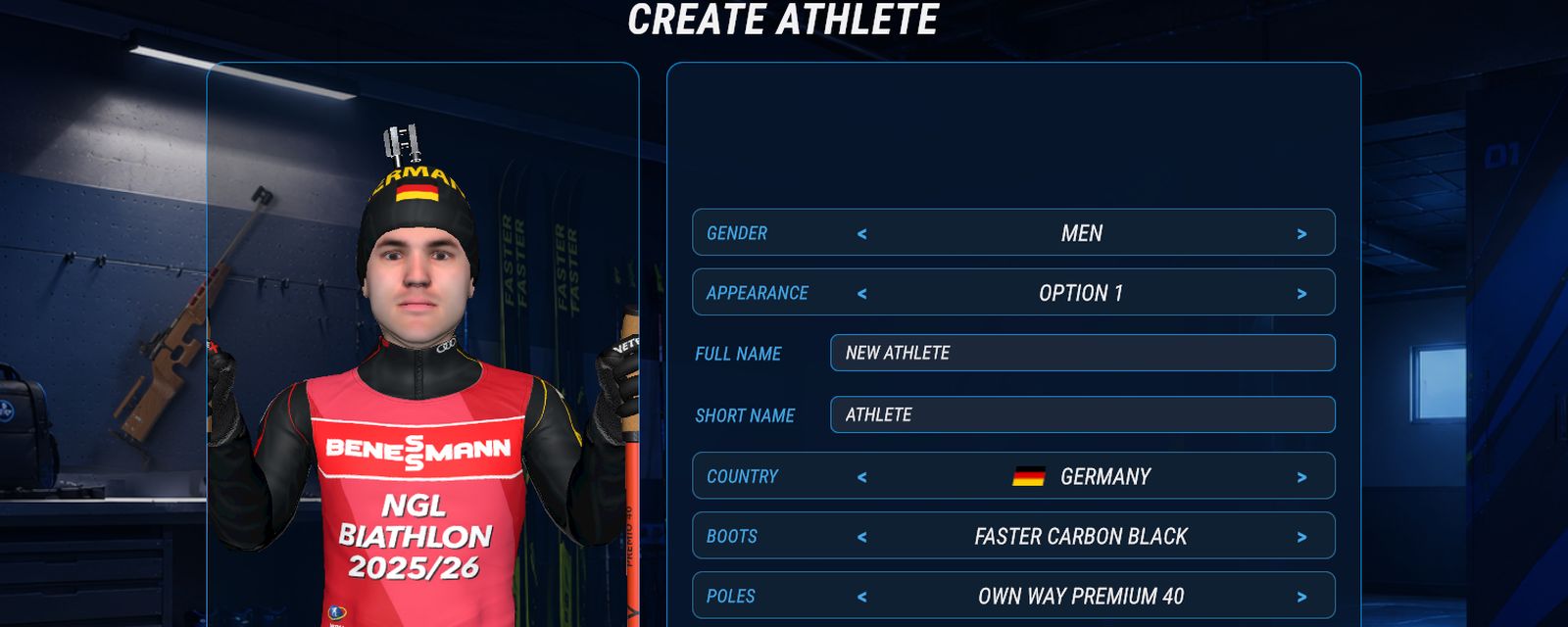
Every athlete in NGL Biathlon 2027 lives in the Athletes section of the main menu, and that is also where you create your own. Players ask us where the create button is, what stats to give a new athlete, how to get a suit without national colours and why their athlete never shows up among the rivals of a quick race. Here is how it all works
Where to create an athlete
Open Athletes in the main menu. On the left is the list with filters for gender, inactive athletes and sorting by country or rating. On the right is the card of the selected athlete: a 3D model, overall rating, age, four sub-ratings (speed, endurance, boost, accuracy) and skills. The Create New Athlete button sits at the bottom right of the screen
The athlete selection screen at the start of a career has a Create your own button, and it opens the same editor
Looks, name and country
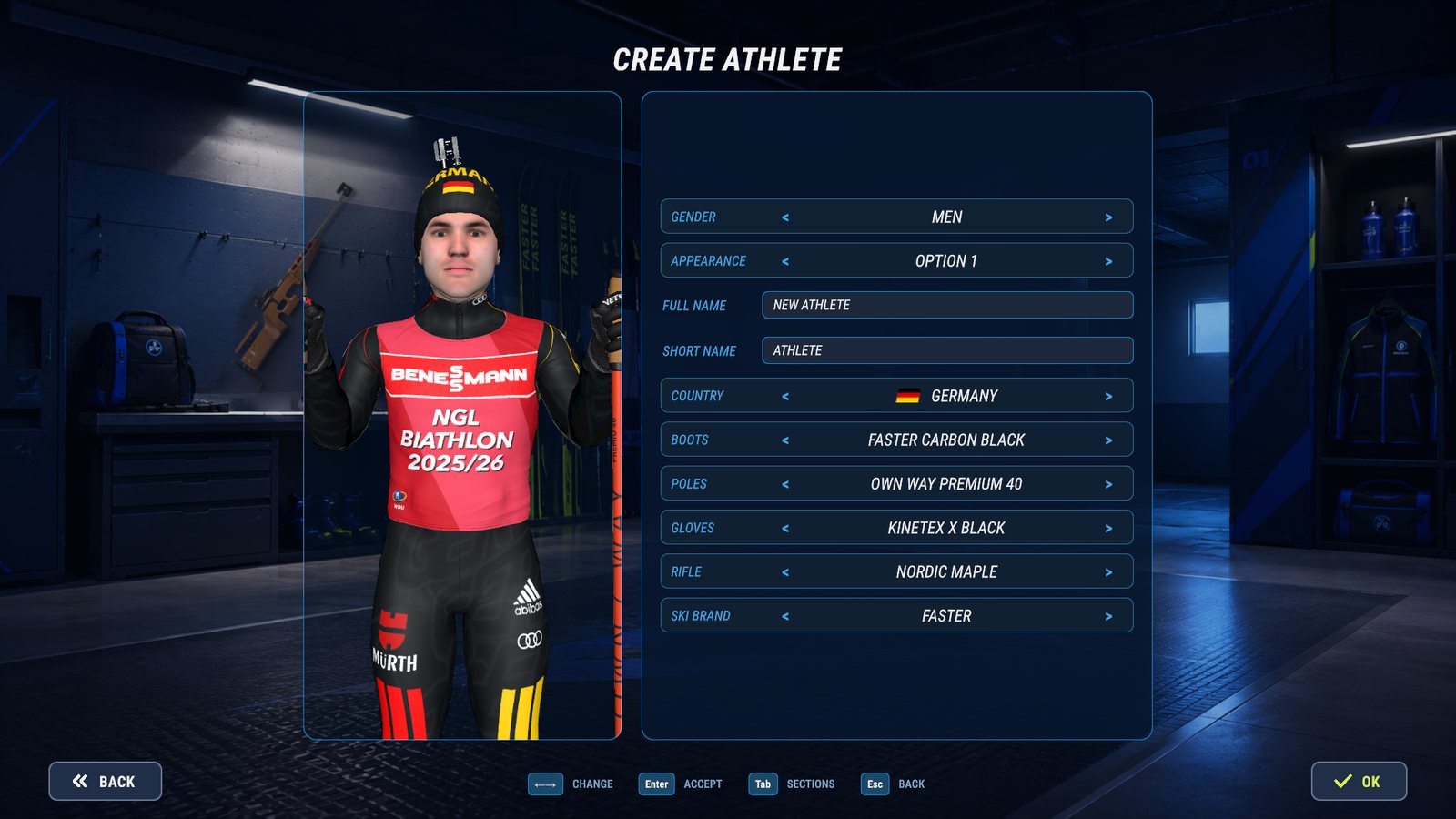
The Create athlete screen builds the athlete on the model, and the model changes as you go. When you pick a piece of equipment, the camera moves in on it
- Gender and Appearance: 20 faces for men and 20 for women
- Full name and Short name. The short name goes on the name tags above athletes on the track and at the range
- Country: 50 countries, the Nordic Games Lab team and two neutral teams. A new athlete starts with the first country in alphabetical order in your menu language
- Boots, Poles, Gloves and Rifle change only the look. The whole catalogue is open: 14 boots, 15 poles, 26 pairs of gloves and 28 rifles
- Ski Brand is one of five. The brand decides which line of skis your athlete races on, more on that in Tracks and weather
There is no suit on this screen. The suit comes with the country: the athlete wears the kit of their national team, and you choose one of its variants before every race in the Suit row, next to the athlete. If you would rather not race in national colours, pick Nordic Games Lab, it has its own suit. In a career the shop also sells suits on its Suits tab
Stats and skills
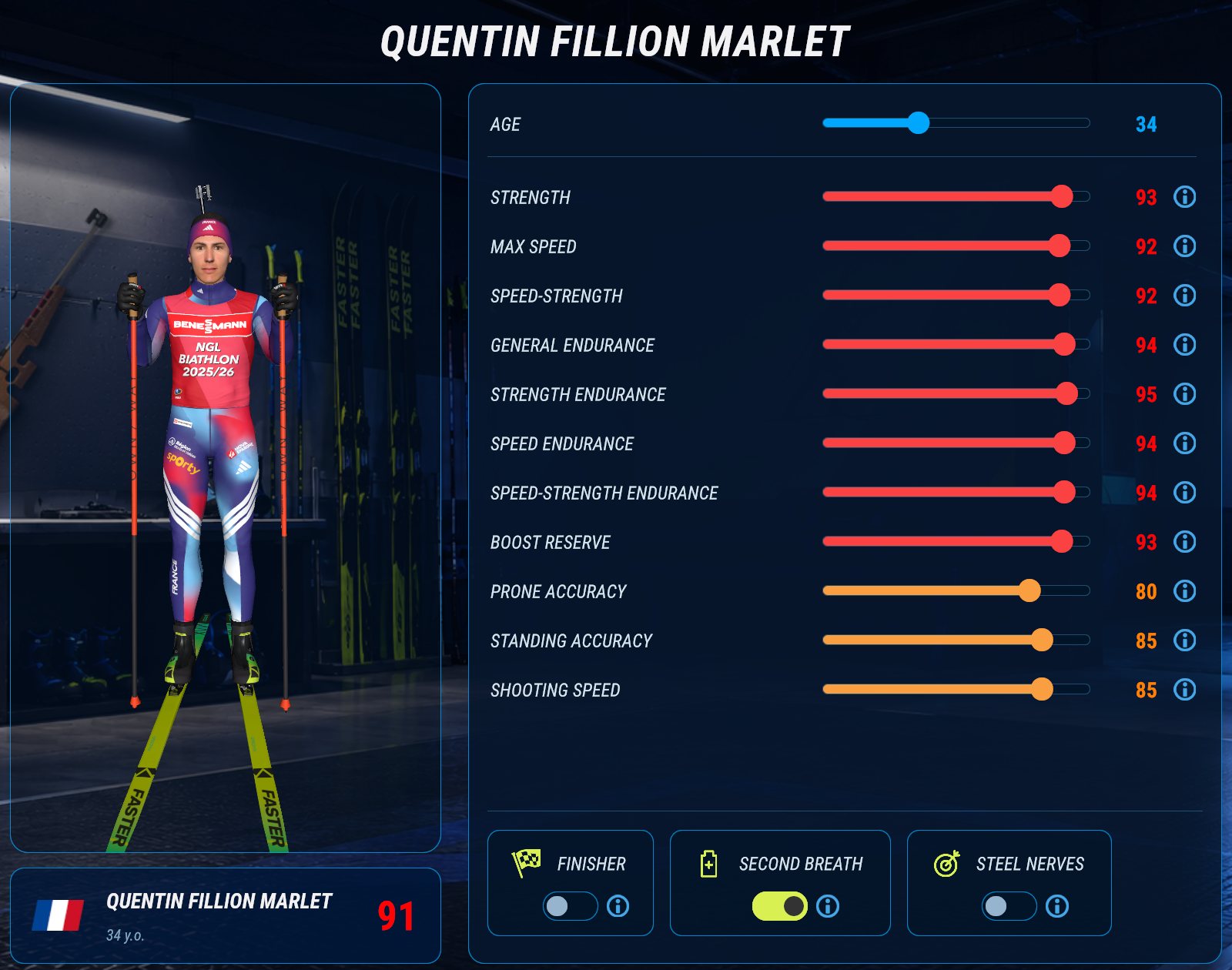
Every new athlete starts out the same: age 24, rate of fire 88, prone and standing accuracy 63, the other stats around 70, an overall rating of 71 and no skills. To change that, press Characteristics on the card
- Age goes from 15 to 70 and does not count towards the rating, but it affects the pulse: a young athlete calms down faster after a boost
- 11 stats, each from 1 to 100: eight for skiing and three for shooting. The rating is their average and updates as you move a slider. Click the number next to a slider to type an exact value, and hover the "i" icon to read what the stat does
- 3 skills, each unlocked by one stat at 85 or higher. Finisher needs Max speed, Second breath needs General Endurance, Steel nerves needs Standing Accuracy. Drop that stat below 85 and the skill switches off
What each skiing stat does in a race is explained in Skiing: stats, boost and superboost, accuracy, shooting speed and Steel nerves in Shooting and pulse
Editing the athletes already in the game
The Profile and Characteristics buttons work for anyone on the list, not only for the athletes you made. So you can move a real athlete to another country, change their equipment or rework their stats. Athletes that come with the game keep their original values, and the Reset button brings them back. A created athlete has nothing to go back to, so it has no Reset
Why your athlete is not among the rivals
The switch in each row turns an athlete on or off. Only enabled athletes race: switched off, they do not start and do not appear among the rivals. A new athlete is enabled straight away. You cannot go below 21 enabled athletes of one gender, and a career needs at least 21 men and 21 women
In a quick race the game fills the field with the strongest enabled athletes of the same gender, by overall rating. An athlete with a rating of 71 rarely makes it there on their own. To race against your own athletes, press Select Rivals when you set up the race and tick them. In your own tournament the rivals are chosen the same way, more in Your own tournament
To race as your athlete, choose their country and then their name on the athlete selection screen
Your athlete in a career
When you start a career, you choose its athlete from the same list, your own included. The Characteristics row decides the starting stats. Auto lets the career work them out from the average of its league. Same as chosen takes the stats the athlete already has. Custom opens the stats editor, and whatever you set there goes only into this career, while the athlete stays unchanged in the Athletes section. Two more rows set the starting age and the equipment: Standard, or From editor, the kit you gave the athlete on the Create athlete screen
Deleting and moving athletes
Only athletes you created can be deleted, with the button in their row or the Delete key. After you confirm, the athlete disappears from your tournaments and from the pursuit start list. Track records they have already set stay under their name
The list of athletes belongs to a save, and every save keeps its own. To share your athletes, press Share roster on the Rosters card of the Athletes screen: the archive gets the roster only. You can also take them to another save by exporting the whole save, see Athlete packs
Online races have their own rules for athletes, and we will cover them separately